JPEG to JPG Converter
Looking for a simple way to convert JPEG to JPG? Our free JPEG to JPG converter makes it easy to change your image file extension from .jpeg to .jpg directly in your browser.
JPEG and JPG are essentially the same image format. The main difference is the file extension: JPEG traditionally uses .jpeg, while JPG uses the shorter .jpg extension. Because many websites, applications, and online forms specifically request JPG files, converting a JPEG image to JPG can sometimes be useful.
With our JPEG to JPG online converter, you can quickly process your images without installing complicated software.
What Is JPEG to JPG Conversion?
JPEG to JPG conversion means changing a JPEG image into a JPG file. In most cases, there is no actual difference in image compression or image quality simply because the extension changes.
For example:
photo.jpeg→photo.jpgimage.jpeg→image.jpgpassport.jpeg→passport.jpgdocument.jpeg→document.jpg
Our JPEG to JPG converter is designed to make this process simple for beginners and experienced users alike.
Why Convert JPEG to JPG?
There are several reasons why someone might want to convert JPEG to JPG.
1. Website Compatibility
Some websites only accept images with a .jpg extension. If your image is saved as .jpeg, you may need to convert or rename it before uploading.
2. Online Forms
Government websites, job portals, educational websites, and application forms may specify that uploaded photographs must be in JPG format.
3. Easier File Naming
Some users prefer .jpg because it is shorter and commonly recognized by image-related software.
4. Better Compatibility With Older Software
Older applications and systems may have been designed around the .jpg extension. Converting JPEG to JPG can help when a particular application does not recognize .jpeg.
5. Simple Image Management
If your folder contains images with different extensions, such as JPEG, JPG, and PNG, converting them can make your image collection more consistent.
How to Convert JPEG to JPG Online
Using an online JPEG to JPG converter is usually very easy.
Step 1: Upload Your JPEG Image
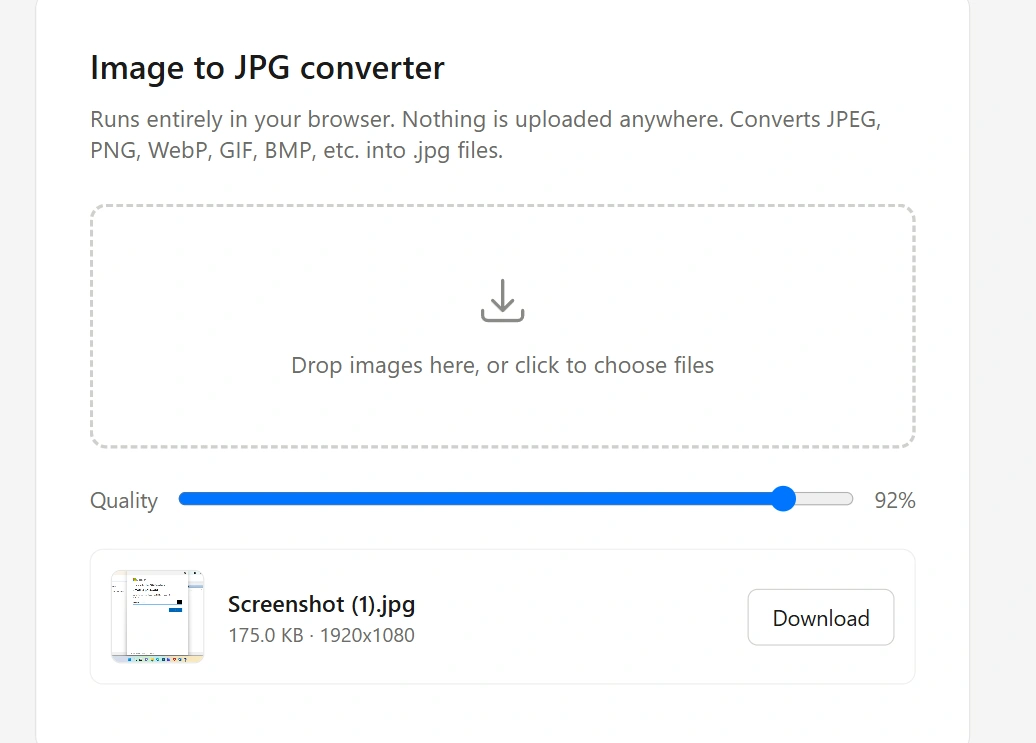
Select the JPEG image you want to convert from your computer, phone, or tablet.
Step 2: Start the Conversion
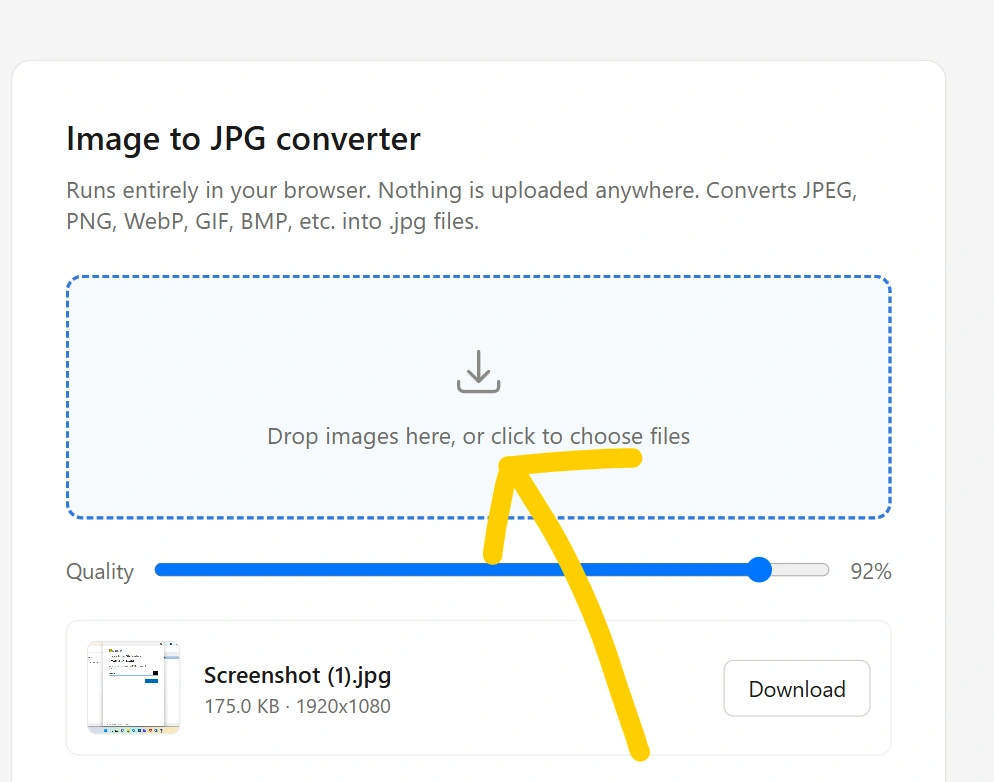
Click the Convert JPEG to JPG button. The tool processes the image and prepares the JPG version.
Step 3: Download the JPG File
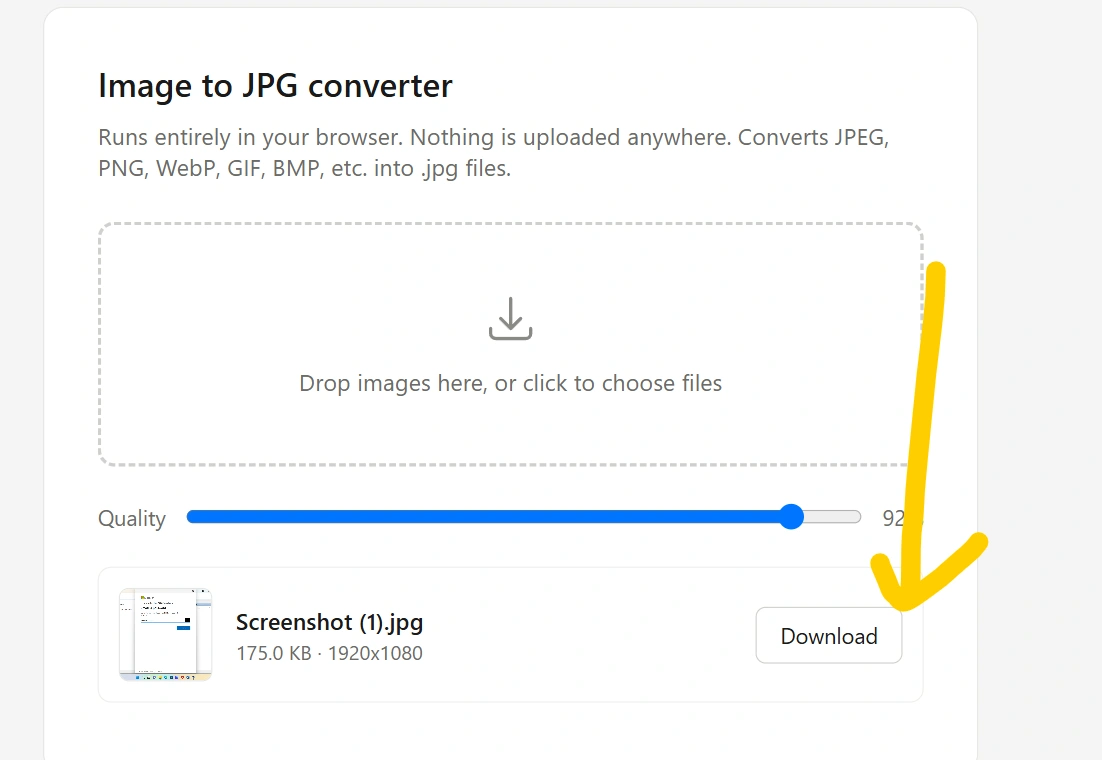
After conversion is complete, click the Download JPG button to save the converted image.
That’s it. You can now use your JPG image wherever a JPG file is required.
JPEG vs JPG: What’s the Difference?
Many people think JPEG and JPG are two different image formats. They are actually the same image format.
| Feature | JPEG | JPG |
|---|---|---|
| Full name | Joint Photographic Experts Group | Joint Photographic Experts Group |
| File extension | .jpeg | .jpg |
| Image format | JPEG | JPEG |
| Compression | Lossy | Lossy |
| Image quality | Same technology | Same technology |
| Common use | Photos and graphics | Photos and graphics |
The main difference is the file extension, not the underlying image format.
The .jpg extension became popular because some older operating systems used a three-character limit for file extensions. Therefore, .jpeg was shortened to .jpg.
Does Converting JPEG to JPG Reduce Image Quality?
Normally, simply changing a JPEG file to JPG does not require reducing image quality.
However, it is important to understand how the conversion is performed.
If a tool simply changes the filename extension or processes the image without unnecessary recompression, the image quality can remain essentially unchanged.
If the image is opened and saved again using JPEG compression, there may be some additional compression. A good JPEG to JPG converter should avoid unnecessary quality loss wherever possible.
Can I Convert JPEG to JPG on Mobile?
Yes. You can use a JPEG to JPG online converter on smartphones and tablets.
The process is generally:
- Open the converter in your mobile browser.
- Select a JPEG image.
- Upload the image.
- Start the conversion.
- Download the JPG file.
Because the conversion can be performed through a web browser, there is no need to install a separate desktop application.
JPEG to JPG for Windows
Windows users can also work with JPEG and JPG files using built-in applications. However, an online JPEG to JPG converter can be more convenient when you need a dedicated conversion workflow.
It can be especially useful when you have to prepare images for:
- Online applications
- Websites
- Job applications
- Educational forms
- Photo uploads
- Digital documents
- Image-processing tools
JPEG to JPG for Online Forms
Many online forms provide specific image requirements. For example, an application might say:
Upload your photograph in JPG format.
If your photograph is named photo.jpeg, you may need to provide it as photo.jpg.
Our JPEG to JPG converter can help you prepare your image for these types of requirements.
Important: Always check the website’s complete requirements. Some forms also specify maximum file size, image dimensions, or resolution.
Is JPEG the Same as JPG?
Yes. JPEG and JPG refer to the same image format.
JPEG stands for Joint Photographic Experts Group, the organization responsible for developing the JPEG standard.
The extensions .jpeg and .jpg generally represent the same format.
Therefore:
JPEG = JPG
The difference is primarily the filename extension.
JPEG to JPG vs Renaming the File
You might wonder whether you can simply rename:
picture.jpeg
to:
picture.jpg
In many situations, because JPEG and JPG are the same format, changing the extension can be enough for compatibility. However, merely renaming a file does not convert its internal format if the source file is actually something else.
A proper JPEG to JPG converter checks and processes the image so the resulting file is correctly represented as a JPG image.
Benefits of Our JPEG to JPG Converter
Our online tool can be designed around the following benefits:
⚡ Fast Conversion
Convert JPEG images to JPG quickly without complicated settings.
🆓 Free to Use
A free JPEG to JPG converter makes basic image conversion accessible without expensive software.
📱 Mobile Friendly
Use the converter from a smartphone, tablet, laptop, or desktop computer.
🌐 No Installation Required
An online converter works directly through your web browser.
🎯 Simple Interface
Upload your image, convert it, and download the result with minimal steps.
🔒 Privacy Focused
For browser-based image processing, images can potentially be processed locally on the device instead of being uploaded to a server. If your implementation uses local processing, clearly explain that to users.
Who Can Use a JPEG to JPG Converter?
A JPEG to JPG converter can be useful for many people, including:
- Students
- Job applicants
- Bloggers
- Website owners
- Photographers
- Designers
- Office workers
- Developers
- Content creators
- Social media users
Whether you need to convert one photograph or prepare multiple images for a website, a dedicated conversion tool can make the process easier.
Frequently Asked Questions
Is JPEG to JPG conversion free?
Yes, a JPEG to JPG converter can be provided as a free online tool for converting JPEG images into JPG format.
Is JPG better than JPEG?
No. JPG is not technically better than JPEG. They are essentially the same image format with different file extensions.
Does JPEG to JPG conversion reduce quality?
Changing the extension itself does not reduce quality. However, if the image is recompressed during conversion, quality can potentially change.
Can I convert JPEG to JPG without software?
Yes. You can use an online JPEG to JPG converter through a web browser.
Can I convert JPEG to JPG on Android?
Yes. A browser-based JPEG to JPG tool can be used on Android phones and tablets.
Can I convert JPEG to JPG on iPhone?
Yes. You can use an online converter through a mobile browser on an iPhone or iPad.
Is JPEG the same as JPG?
Yes. JPEG and JPG are generally two extensions used for the same image format.
Can I convert multiple JPEG images?
If the converter supports batch processing, you can convert multiple JPEG files to JPG at once. Otherwise, you can convert them individually.
Final Words
A JPEG to JPG converter provides a quick way to prepare JPEG images when a website, application, or other service specifically requests the .jpg extension. Since JPEG and JPG are essentially the same image format, the conversion is usually straightforward.
Whether you’re working with photographs, documents, application forms, website images, or personal pictures, an online JPEG to JPG tool can save time and eliminate the need for complicated image-editing software.
Upload your JPEG image, convert it to JPG, and download your file in just a few simple steps.