PDF Compressor to 500KB – Compress PDF to 500KB Online Free
If you need to submit a PDF but the website has a strict file-size limit, our PDF Compressor to 500KB tool can help. It allows you to reduce the size of a PDF toward a specific target, including 500KB, directly from your browser.
Large PDF files can be difficult to upload to government portals, online application forms, email services, scholarship websites, college portals, and other platforms. Instead of installing complicated PDF software, you can use an online PDF Compressor to 500KB to make your document smaller and easier to upload.
PDF Compressor to 500KB Online
Our PDF Compressor to 500KB is designed to provide a simple way to reduce PDF file size. Upload your PDF, enter 500 KB as the target size, and click the Compress button.
The tool processes the PDF in your browser and creates a smaller PDF that you can download.
Your tool includes a target-size field that is already set to 500 KB by default.
How to Compress PDF to 500KB
Using the PDF Compressor to 500KB is simple:
- Open the PDF compressor tool.
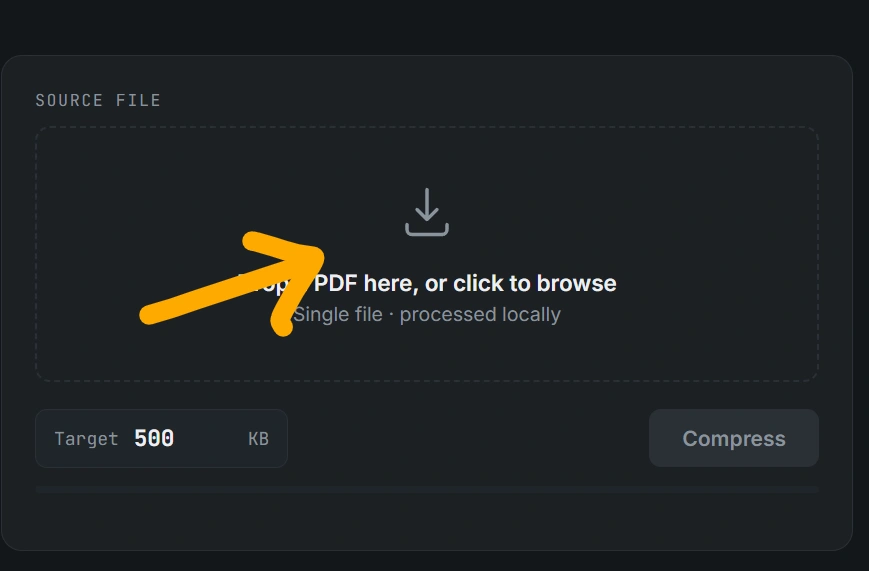
2. Click Upload PDF or drag your PDF into the upload area.
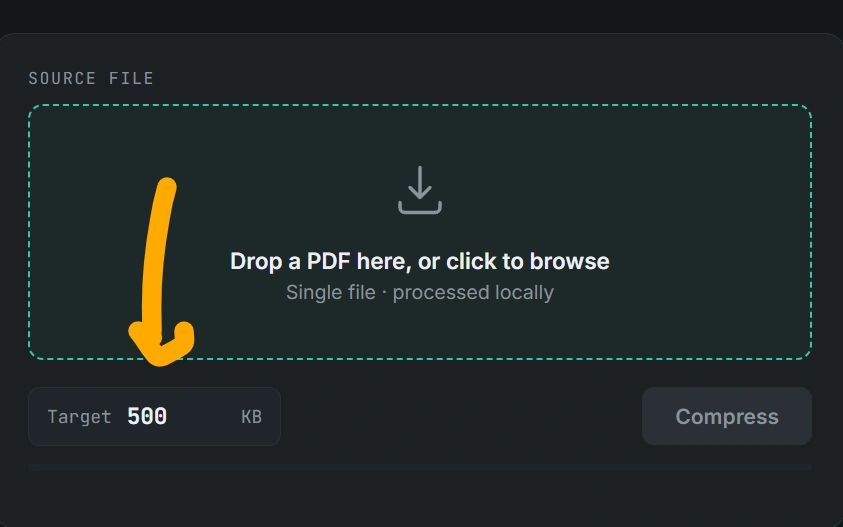
3. Check the original PDF size.
4. Set the target size to 500 KB.
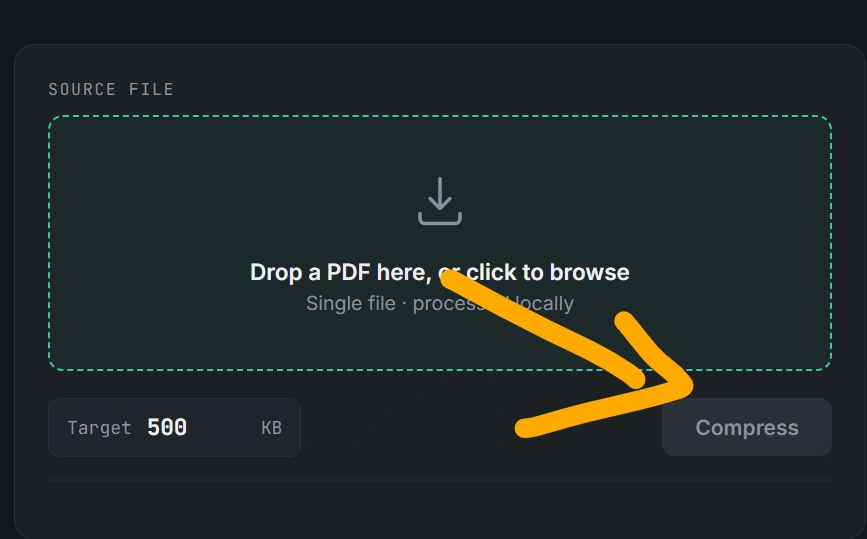
5. Click Compress.
6. Wait while the PDF is processed.
7. Check the resulting file size.
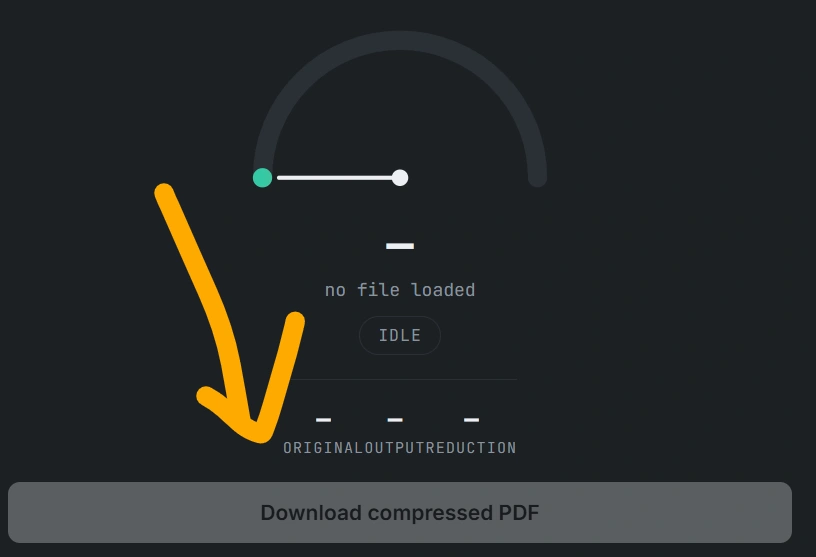
8. Download your compressed PDF.
The tool also shows compression progress while processing the pages.
What Is a PDF Compressor to 500KB?
A PDF Compressor to 500KB is an online tool designed to reduce a PDF’s file size toward 500KB.
For example, suppose you have a PDF that is 2MB in size and a website requires a file of approximately 500KB. Compressing the document can make it much easier to meet the upload requirement.
However, the final size depends on the original PDF, number of pages, images, resolution, and content. Therefore, a PDF cannot always be reduced to exactly 500KB without affecting its quality.
Your compressor automatically checks the resulting file size and reports whether the target was reached or whether the closest achievable size was obtained.
Why Compress a PDF to 500KB?
There are many situations where a PDF Compressor to 500KB can be useful.
1. Online Application Forms
Many online application forms have maximum file-size limits. If your PDF is too large, you may not be able to upload it.
Reducing the PDF to around 500KB can make uploading easier.
2. Government Websites
Government portals sometimes specify maximum document sizes for certificates, applications, identity documents, and other files.
A PDF compressor can help you prepare a smaller document before uploading it.
3. College and University Applications
Students frequently need to upload documents such as:
- Mark sheets
- Certificates
- Application forms
- ID documents
- Admission documents
- Scholarship documents
If the portal specifies a 500KB limit, a PDF Compressor to 500KB can be useful.
4. Email Attachments
Large PDFs can consume more storage and may be difficult to send through email. Compressing the document can reduce its size and make sharing easier.
5. Faster Uploading
A smaller PDF generally requires less data to upload. This can be particularly helpful when using a slower internet connection.
How Does the PDF Compressor to 500KB Work?
The tool works differently from simply deleting pages from a PDF.
Your implementation uses PDF.js to read and render PDF pages and jsPDF to create the compressed PDF.
The basic process is:
PDF → Render Pages → Convert Pages to JPEG → Adjust Quality → Rebuild PDF → Check Size
The compressor initially uses a particular image quality and rendering scale. If the generated PDF is still larger than the target, it performs additional compression attempts.
The source code defines multiple attempts and gradually reduces image quality and, when necessary, rendering scale.
This approach is particularly useful for scanned PDFs and image-heavy documents.
Can Every PDF Be Compressed to Exactly 500KB?
No. This is an important point to understand.
A PDF’s final size depends on its content. A simple one-page PDF containing mostly text may compress very differently from a 20-page scanned document containing high-resolution photographs.
Your tool therefore does not falsely guarantee an exact 500KB result. Instead, it checks whether the generated PDF is at or below the requested target. If the target cannot be reached without heavier quality loss, it returns the closest result it can achieve.
This is better than promising that every PDF can always become exactly 500KB.
Is the PDF Compressor to 500KB Free?
Yes, the tool can be offered as a free browser-based PDF compression utility.
There is no need for users to install desktop PDF software before using the tool. The interface allows users to select a PDF, specify the target size, compress it, and download the resulting file.
The interface supports both drag-and-drop and normal file selection.
Does the PDF Compressor Upload My PDF?
Your current tool is designed to process the PDF inside the browser rather than sending it to your own server.
The page explicitly states that it runs entirely in the browser and that the file is processed locally.
The JavaScript reads the selected file using the browser’s file API and processes its contents locally.
This can be a strong privacy feature for users who do not want to upload personal documents to a remote server.
Important: because the output PDF is rebuilt from rendered page images, your current implementation notes that text in the resulting PDF may no longer be selectable or searchable.
PDF Compressor to 500KB for Scanned Documents
A PDF Compressor to 500KB can be particularly useful for scanned documents.
Scanned PDFs often contain pages stored as large images. Instead of preserving the original high-resolution image data, the tool renders each page and encodes it as JPEG before placing it into a new PDF.
Your code performs this conversion using:
- PDF.js for reading PDF pages
- HTML canvas for rendering pages
- JPEG encoding for compression
- jsPDF for rebuilding the PDF
This can significantly reduce the size of image-heavy PDFs.
PDF Compressor to 500KB Without Installing Software
One of the biggest advantages of an online PDF Compressor to 500KB is convenience.
You don’t need to install:
- Desktop PDF software
- Additional compression applications
- Browser extensions
- Command-line utilities
Simply open the tool in a modern web browser and select your PDF.
It can be used on desktop computers, laptops, tablets, and smartphones as long as the browser supports the required JavaScript functionality.
How to Reduce PDF Size Below 500KB
If your PDF is still larger than 500KB, you can try the following:
Reduce Image Quality
High-resolution images are often responsible for large PDF sizes. Lowering image quality can substantially reduce the final file size.
Reduce Page Resolution
For scanned documents, reducing rendering resolution can also reduce the final PDF size.
Your compressor automatically adjusts both image quality and rendering scale when earlier compression attempts are insufficient.
Remove Unnecessary Pages
If the document contains pages that aren’t required, removing them before compression can make the resulting file significantly smaller.
Scan Documents at a Reasonable Resolution
If you’re creating a PDF from paper documents, extremely high scanning resolution may produce unnecessarily large files.
Features of Our PDF Compressor to 500KB
The tool provides several useful features:
Target File Size
Users can specify their desired target size, with 500KB available as the default target.
Drag and Drop
Users can drag a PDF directly into the upload area.
Compression Progress
A progress bar and processing log show the compression progress.
Original vs Output Size
The interface displays the original size, output size, and percentage reduction.
Download Compressed PDF
After compression, users can download the resulting PDF directly from the browser.
Local Processing
The tool is designed to process the PDF in the browser, which can provide an additional privacy advantage.
PDF Compressor to 500KB for Students
Students often need to upload PDFs for:
- University admission
- Scholarship applications
- Examination forms
- Internship applications
- Job applications
- Government examinations
- Online registration
When an application website says something like “PDF must be below 500KB,” a PDF compressor can make the document easier to submit.
Before uploading, always check the specific website’s requirements because some portals have different limits, file formats, or document-quality requirements.
PDF Compressor to 500KB for Job Applications
Job applications can require resumes, certificates, experience documents, or other PDF files.
If a recruitment website restricts uploads to 500KB, you can use a PDF Compressor to 500KB to reduce the file size before submitting it.
Remember to check the compressed document before submitting it, especially if it contains important text or small images.
Frequently Asked Questions
What is the best PDF Compressor to 500KB?
A useful PDF compressor should allow you to select a target size, show the resulting file size, and let you download the compressed document. Our tool provides these functions directly in the browser.
Can I compress a 1MB PDF to 500KB?
In many cases, yes, particularly when the PDF contains images that can be recompressed. However, the exact result depends on the PDF’s content.
Can I compress a 5MB PDF to 500KB?
It may be possible for some documents, but not all PDFs can reach 500KB while maintaining acceptable quality.
Does compression reduce PDF quality?
It can. Your tool converts PDF pages into JPEG images, so stronger compression can reduce visual quality.
Will text remain selectable?
With the current implementation, text may no longer be selectable or searchable, because each PDF page is converted into an image before the new PDF is created.
Can I use the tool on my phone?
Yes, the interface is designed responsively, including a mobile layout that changes to a single-column arrangement on smaller screens.
Is 500KB the only available target?
No. The input allows users to enter a different target size, with a minimum value enforced by the JavaScript.
Conclusion
If you need to reduce a large PDF for an online application, email, document submission, or website upload, a PDF Compressor to 500KB can be a convenient solution.
Our browser-based compressor lets you upload a PDF, choose 500KB as the target, process the document, compare the original and compressed sizes, and download the resulting PDF.
For scanned and image-heavy PDFs, the image-based compression approach can be especially effective. However, because pages are rebuilt as compressed images, users should always check the final document’s readability and confirm that the required upload portal accepts the resulting file.