Increase Image Size
Pad a JPEG or PNG up to a target file size in MB, without changing how it looks. Everything runs locally in your browser — nothing is uploaded anywhere.
Increase Image Size in MB – Free Online Tool to Make Images Larger
If you need to increase image size in MB, you can use an online image-size-increasing tool to make your image file larger without complicated software. This can be useful when a website, application, online form, printing service, or document submission requires an image to meet a minimum file-size requirement.
Our Increase Image Size in MB tool is designed to make this process simple. Upload your image, select the target size, and create a larger image file directly in your browser.
What Is an Increase Image Size in MB Tool?
An Increase Image Size in MB tool is an online utility that increases the file size of an image to a selected MB value. For example, if you have a 500 KB image and need a file that is closer to 2 MB, the tool can process the image and increase its file size.
Image dimensions and file size are not exactly the same thing. A larger image in pixels does not always mean a larger file in MB. File size also depends on factors such as:
Image dimensions
Image format
JPEG quality
PNG compression
Image complexity
Metadata
Encoding settings
Therefore, simply enlarging the width and height may not produce the required MB size.
How to Increase Image Size in MB Online
Using an Increase Image Size in MB web tool can make the process much easier.
Step 1: Upload Your Image
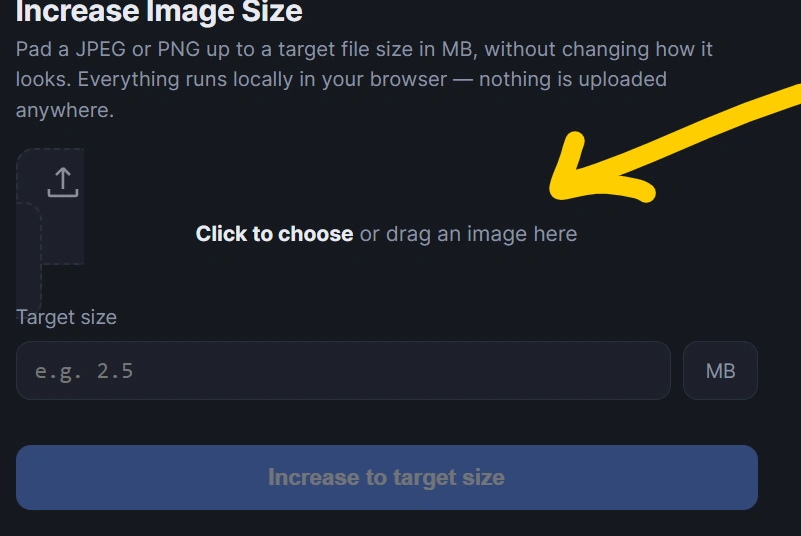
Select the image you want to enlarge. Most common formats, such as JPG, JPEG, and PNG, can be used depending on the tool’s supported formats.
Step 2: Select the Target Size
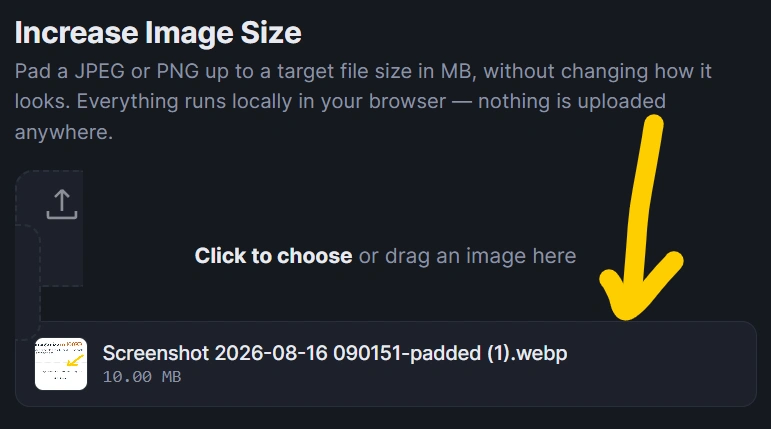
Choose the approximate file size you need, such as:
1 MB
2 MB
3 MB
5 MB
10 MB
Some tools may also allow you to enter a custom target size.
Step 3: Process the Image
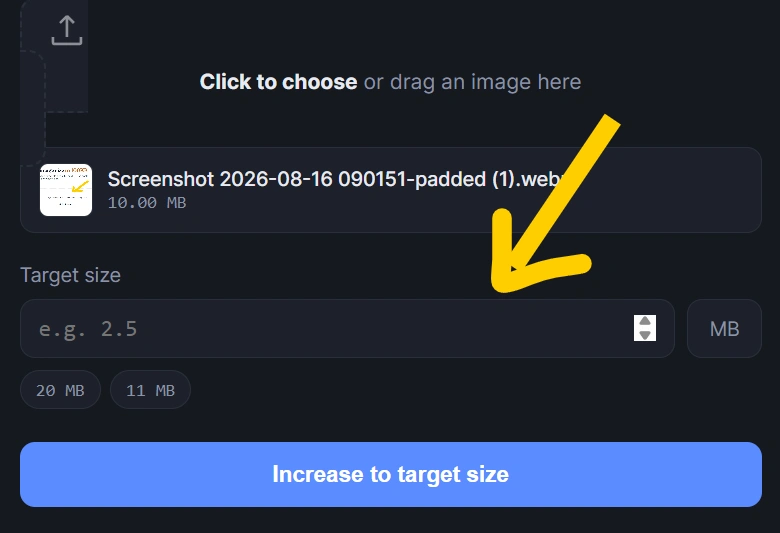
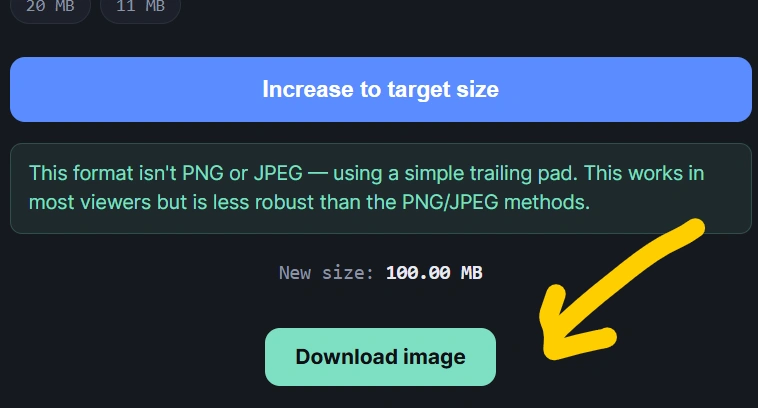
Click the resize or generate button. The tool processes your image according to the selected settings.
Step 4: Download the Larger Image
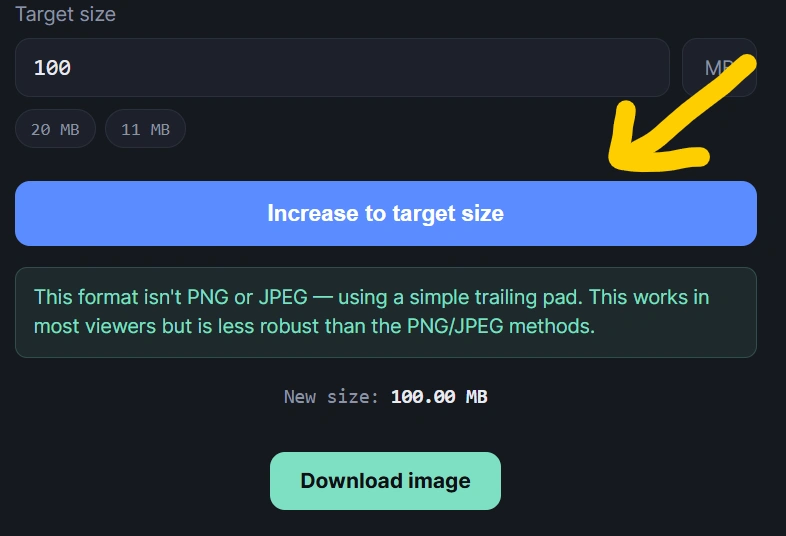
After processing is complete, download the resulting image and check its file size before submitting it.
Why Would You Need to Increase Image Size in MB?
There are several situations where users need to increase image size in MB.
Online Application Forms
Some government, education, employment, scholarship, and admission websites require uploaded photographs or documents to fall within a specific file-size range.
For example, a form may specify that an image should be between 100 KB and 2 MB. If your photograph is only 60 KB, you may need to increase its file size.
Printing
Higher-quality images are often needed for printing. A larger image file can contain more image information, although increasing file size alone does not automatically improve the original image’s quality.
Website Upload Requirements
Some websites require images to meet minimum file-size or dimension requirements before allowing an upload.
Digital Documents
Images used in presentations, documents, portfolios, and other digital projects may need a particular resolution or file size.
Increase Image Size in MB Without Losing Quality
One important thing to understand is that increasing the file size does not necessarily increase image quality.
For example, if an image is originally low resolution, simply turning a 200 KB image into a 5 MB file will not magically create the missing details.
A good image-size tool should therefore provide useful controls such as:
Image dimensions
JPEG quality
Output format
Compression level
Target file size
Preview
Download option
If your goal is only to satisfy a minimum file-size requirement, increasing the file size may be sufficient. If your goal is better visual quality, you may need an image upscaling or enhancement tool instead.
Increase JPG Image Size in MB
JPEG is one of the most commonly used image formats.
If you have a small JPG and need a larger file, an Increase Image Size in MB tool can adjust the image’s encoding and quality settings.
For example:
Original: 300 KB JPG
Required: Around 2 MB JPG
The tool can process the image using appropriate quality and encoding settings to produce a larger file.
However, the final size can vary because JPEG compression depends on the image itself.
Increase PNG Image Size in MB
PNG images use a different compression method from JPEG. PNG files can already be relatively large, particularly when they contain high-resolution graphics, transparency, or detailed designs.
If you need to increase a PNG file’s size, changing its dimensions or encoding characteristics can help.
PNG is particularly useful for:
Logos
Icons
Transparent images
Screenshots
Graphics
Images requiring lossless compression
Can You Increase Image Size Without Changing Dimensions?
Yes, in some cases.
Image dimensions are measured in pixels, while file size is measured in bytes, KB, or MB. They are related but different.
For example:
Image A: 1920 × 1080 pixels – 400 KB
Image B: 1920 × 1080 pixels – 2 MB
Both images can have exactly the same dimensions while having different file sizes.
The difference can result from image quality, encoding, compression, metadata, and other factors.
This is why an Increase Image Size in MB tool can sometimes make a file larger without dramatically changing its visible dimensions.
Increase Image Size From KB to MB
A common reason users search for increase image size in MB is that their image is currently measured in KB.
For example:
200 KB → approximately 1 MB
500 KB → approximately 2 MB
800 KB → approximately 3 MB
The exact output depends on the image and processing method.
Remember that:
1 MB = 1,024 KB in many computing contexts, although some systems use 1 MB = 1,000 KB.
Because different websites calculate file sizes differently, it is a good idea to check the final file before uploading it.
Increase Image Size for Online Forms
Online forms often provide upload requirements such as:
Image size should be between 100 KB and 1 MB.
If your image is only 50 KB, the website may reject it.
In this situation, an Increase Image Size in MB tool can help you prepare the file before uploading it.
Always follow the exact requirements shown on the website. If the website specifies both dimensions and file size, make sure your image satisfies both requirements.
Is It Safe to Increase Image Size Online?
If an image contains private or sensitive information, privacy should be considered before uploading it to any online service.
A browser-based image processing tool can be particularly useful when processing happens locally on your device. In that case, the image does not necessarily need to be uploaded to a remote server.
For a privacy-focused tool, explain clearly to users whether:
Images are processed in the browser
Images are uploaded to a server
Images are stored temporarily
Images are automatically deleted
Personal information is collected
Clear privacy information can also make an image tool more trustworthy for visitors.
Benefits of Our Increase Image Size in MB Tool
The Increase Image Size in MB tool can provide several advantages:
Free to Use
Users can increase image file size without purchasing expensive image-editing software.
Easy to Use
The interface can be designed around a simple upload, target-size selection, processing, and download workflow.
No Installation
Because it is an online web tool, users do not need to install desktop software.
Fast Processing
Smaller images can generally be processed quickly, depending on the device and browser.
Useful for Forms
The tool can help users prepare images for websites that require a minimum file size.
Works in a Browser
Users can access the tool from a desktop, laptop, tablet, or smartphone with a compatible browser.
Increase Image Size in MB vs Increase Image Resolution
These two tasks are different.
Increasing image size in MB means increasing the amount of storage used by the image file.
Increasing image resolution means increasing the number of pixels in the image.
For example, converting a 500 KB image into a 2 MB image does not automatically mean that the image has four times the resolution.
If you need a larger and sharper image, look for an image upscaling tool. If you only need to satisfy a file-size requirement, an Increase Image Size in MB tool may be more appropriate.
Tips for Getting the Desired Image Size
For better results, follow these tips:
Start with the original image rather than a repeatedly compressed copy.
Select the correct output format.
Avoid unnecessarily extreme dimensions.
Use the target MB value specified by the website.
Check the final file size after processing.
Keep a copy of your original image.
Follow the upload requirements of the destination website.
Frequently Asked Questions
Can I increase an image from KB to MB?
Yes. An image file can be processed to increase its storage size from KB to MB. The exact result depends on the image format and processing settings.
Can I increase an image to 1 MB?
Yes. If the tool supports target file sizes, you can select or enter approximately 1 MB as the target.
Can I increase an image to 2 MB?
Yes. You can use an Increase Image Size in MB tool to create a larger image file suitable for requirements that specify approximately 2 MB.
Does increasing MB improve image quality?
Not necessarily. Increasing file size and improving image quality are different processes.
Does increasing image dimensions increase MB?
It can, but not always by a predictable amount. File size also depends on compression, format, quality, and image content.
Can I increase JPG size to MB?
Yes. JPEG images can be processed to increase their file size by adjusting encoding, quality, dimensions, or other supported settings.
Can I use the tool on my phone?
Yes, if the tool is compatible with your mobile browser. A responsive web interface allows users to process images from smartphones and tablets.
Conclusion
If you need to increase image size in MB, an online image-size tool provides a quick and convenient solution. Instead of installing complicated photo-editing software, you can upload an image, select the desired target size, process it, and download the result.
Whether you need to increase an image from KB to MB for an online form, application, website upload, document, or other requirement, an Increase Image Size in MB web tool can make the process easier.
Keep in mind that file size and image quality are different. Increasing an image from 500 KB to 2 MB does not automatically make it sharper or higher resolution. Always check the specific requirements of the website or application where you plan to upload the image.
SEO Meta Title
Increase Image Size in MB Online – Free Image Size Tool
SEO Meta Description
Increase image size in MB online with our free tool. Easily make JPG and PNG images larger from KB to MB for forms, uploads, websites, and documents.
Focus Keyword
increase image size in mb
Suggested URL Slug
increase-image-size-in-mb
Suggested Secondary Keywords
increase image size in MB online
increase image size from KB to MB
increase JPG size in MB
increase PNG size in MB
make image size bigger in MB
increase photo size in MB
increase image file size
increase image to 1 MB
increase image to 2 MB
image size increaser online
make image larger in MB
increase photo file size online