Text Files – Create and Edit Text Files Online for Free
Text files are one of the simplest and most useful ways to store information in digital form. Whether you need to write notes, save code, prepare a list, store plain text, or create a .txt document, a text file is often the fastest solution.
With our free Text Files tool, you can create and edit text directly in your browser and download the result as a text file. You don’t need to install Microsoft Word, Notepad, or any other software. Simply open the tool, enter your content, and save your text files whenever you need them.
What Are Text Files?
Text files are digital files that contain plain, readable characters. Unlike documents created with advanced word processors, plain text files generally don’t contain complex formatting such as fonts, images, tables, animations, or page layouts.
The most common extension for a plain text file is:
.txt
For example:
notes.txtshopping-list.txtinformation.txtcode.txtideas.txt
Text files are supported by almost every computer, smartphone, and operating system, which makes them a convenient format for storing and sharing simple information.
Create Text Files Online
Our online Text Files tool makes creating a text file simple. You can type or paste your content into the editor and download it as a .txt file.
How to create a text file

- Open the Text Files tool.
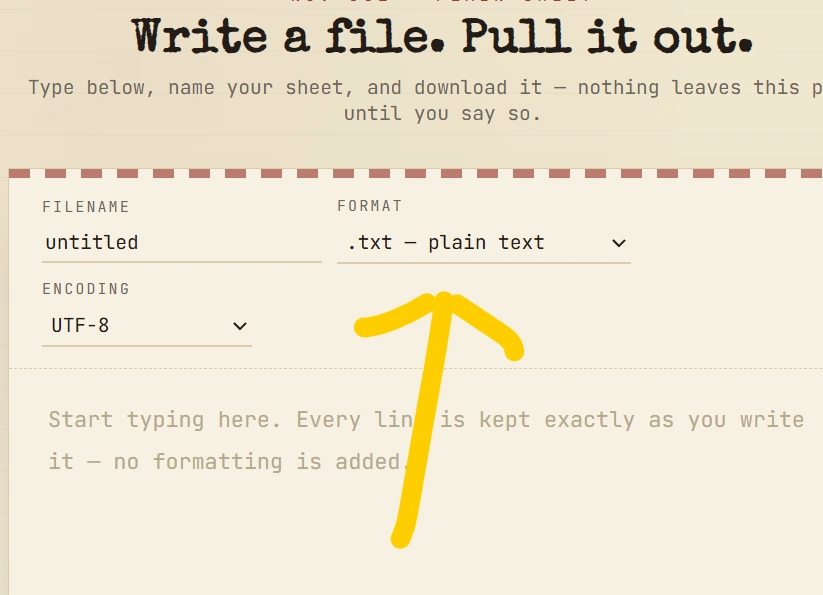
2. Enter or paste your text into the editor.
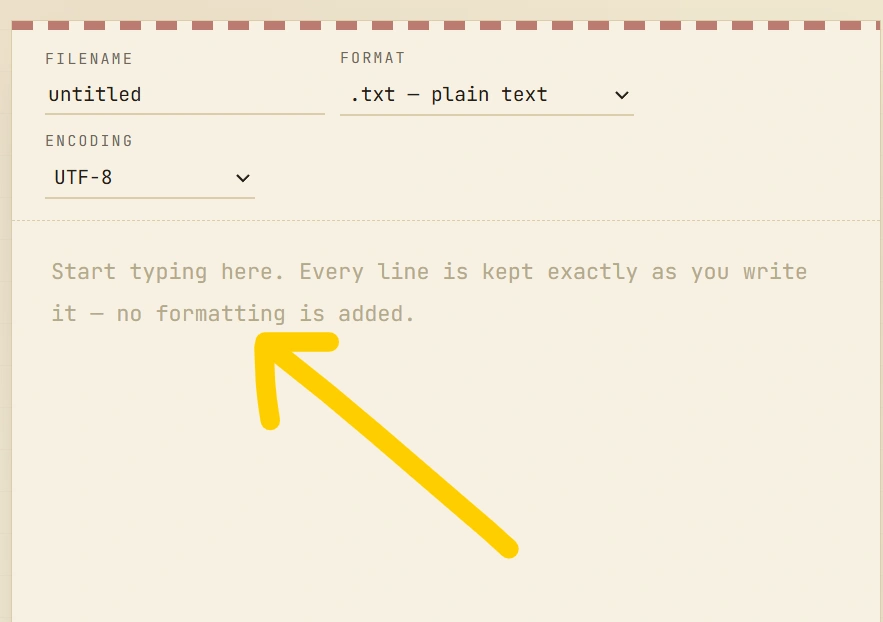
3. Review your content.
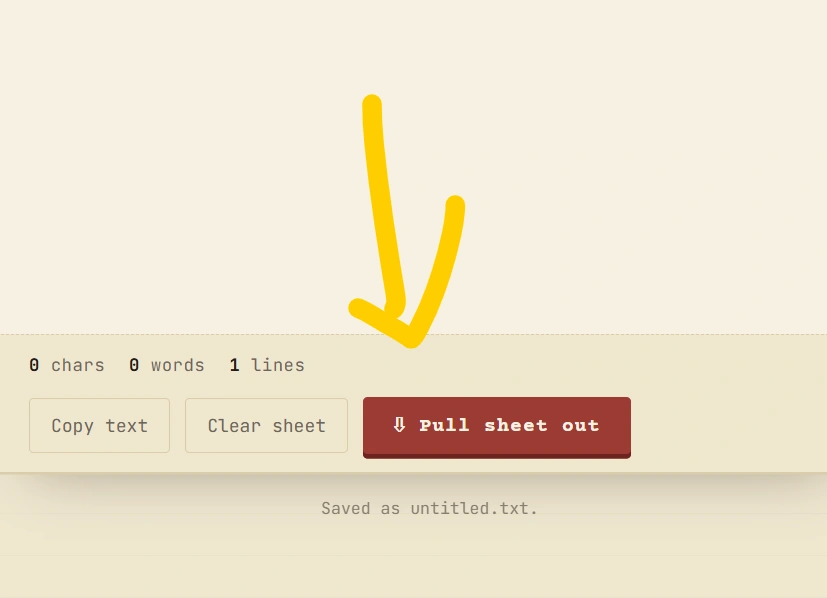
4. Click the Download or Create Text File button.
5. Your .txt file will be saved to your device.
There is no complicated setup. The tool is designed for quick text-file creation directly from your browser.
Why Use Text Files?
There are many reasons to use text files instead of more complicated document formats.
1. Simple and lightweight
Text files contain plain text, so they are usually very small compared with image-heavy or heavily formatted documents.
2. Easy to open
Almost every operating system includes an application capable of opening a .txt file.
3. Useful for notes
You can use text files to save:
- Personal notes
- Ideas
- To-do lists
- Shopping lists
- Study notes
- Temporary information
- Project information
4. Useful for programmers
Developers frequently work with plain text files because source code and configuration files are fundamentally text-based.
For example:
5. Easy to share
Because text files are small and widely supported, they can be convenient for transferring simple information between devices.
Text Files vs. Word Documents
Although both can store written information, text files and word-processing documents serve different purposes.
| Feature | Text Files | Word Documents |
|---|---|---|
| Plain text | Yes | Yes |
| Complex formatting | No | Yes |
| Images | No | Yes |
| Tables | No | Yes |
| Usually lightweight | Yes | No |
| Easy to edit | Yes | Yes |
| Common extension | .txt | .docx |
| Suitable for code | Yes | No |
| Requires special software | Usually no | Often yes |
If you only need to save plain information, a text file can be a much simpler option.
Common Uses of Text Files
Text files are useful in many situations, from everyday tasks to software development.
Notes and reminders
You can create a text file for quick notes that you want to keep for later.
For example:
Study material
Students can use text files to save definitions, formulas, important questions, and revision notes.
Programming
Programming languages use text-based source files. Developers can create and edit code using text editors.
Lists
A .txt file is useful for storing lists such as:
- Names
- Products
- Tasks
- URLs
- File names
- Keywords
Data storage
Simple applications can use text files to store basic information when a complex database isn’t necessary.
Edit Text Files Online
Sometimes you already have text that needs to be modified. Instead of installing software, an online text file editor can make the process easier.
You can copy existing text into the editor, make changes, and download the updated content as a new .txt file.
This is particularly useful when working from:
- Smartphones
- Tablets
- Public computers
- Chromebooks
- Office computers
- Personal laptops
Text File Generator
A text file generator is a useful online utility for turning written content into a downloadable .txt file.
For example, suppose you have this content:
Instead of manually opening a desktop text editor, you can paste the content into the online tool and generate a text file.
Benefits of Our Text Files Tool
Our Text Files tool is designed to make basic text-file creation quick and convenient.
⚡ Fast
Create a text file without installing additional software.
🆓 Free to use
The tool is designed for users who need a simple way to create text files online.
🌐 Works in your browser
You can use the tool directly from a modern web browser.
📱 Mobile-friendly
Create and download text files from smartphones, tablets, and computers.
📝 Simple editor
Enter or paste your content and prepare it for download without unnecessary features.
💻 Useful for developers
The tool can also be useful when creating simple text-based files for programming and development tasks.
How to Open a TXT File
Opening a text file is usually straightforward.
On Windows
You can open .txt files using applications such as Notepad or another text editor.
On macOS
Text files can be opened with applications such as TextEdit or other text editors.
On Android
Many file-management and text-editing applications can open .txt files.
On iPhone and iPad
TXT files can be accessed through supported file-management or text-editing applications.
The exact application available depends on your device and installed software.
Are Text Files Safe?
A plain text file is simply a container for text. However, you should still be careful about the information you place inside any digital file.
Avoid storing sensitive information such as:
- Passwords
- Banking credentials
- Private authentication codes
- Personal identification numbers
- Confidential business information
If you’re creating a text file for public sharing, always review its contents before downloading or sending it.
Text Files for Students
Students can benefit from text files because they are easy to create and organize.
You can create separate files for different subjects:
You can then store important notes, questions, definitions, or revision points inside each file.
Because text files are lightweight, they can also be useful when you want to keep simple study material without complicated formatting.
Text Files for Developers
Developers work with text-based files every day.
Examples include:
- HTML files
- CSS files
- JavaScript files
- JSON files
- XML files
- Markdown files
- Configuration files
- README files
Although these formats often have specialized extensions, their contents are fundamentally text-based.
A simple online text file tool can therefore be useful for quickly preparing plain-text content, testing snippets, or creating small text resources.
Frequently Asked Questions About Text Files
What is a text file?
A text file is a digital file containing plain text characters. The .txt extension is one of the most common formats for plain text.
How do I create a text file?
You can create a text file using a text editor or an online Text Files tool. Enter your content and download it with the .txt extension.
Can I create text files online?
Yes. An online text-file generator can allow you to enter or paste text and download the content as a .txt file.
What is the extension of a text file?
The most common extension is .txt.
Can I edit text files?
Yes. You can edit text files using Notepad, TextEdit, code editors, or an online text editor.
Are TXT files free?
The .txt file format itself does not require a paid license. You can create, edit, and open plain text files using many free applications and tools.
Can I use text files on mobile?
Yes. TXT files can be opened and edited on many smartphones and tablets using compatible applications.
Can text files contain images?
A plain .txt file stores text rather than embedded images. If you need images, formatting, or multimedia, another document format may be more appropriate.
Create Your Text Files Online Today
If you need a quick way to create simple documents, notes, lists, or other plain-text content, text files are an excellent choice.
Our Text Files tool provides a straightforward way to write or paste content, create a .txt file, and download it directly from your browser. It is simple enough for beginners while also being useful for students, writers, developers, and everyday users.