Rotate PDF Online for Free
Have you ever opened a PDF and found that one or more pages are sideways or upside down? It can be frustrating, especially when you need to read, print, or share the document. Our rotate PDF tool makes it easy to correct the orientation of your PDF pages in just a few clicks.
You don’t need complicated PDF software or advanced computer skills. Simply upload your PDF, rotate the pages to the correct direction, and download the updated file.
Whether you are working with scanned documents, assignments, forms, invoices, reports, or ebooks, a PDF rotator can help you quickly fix incorrectly oriented pages.
What Is a PDF Rotator?
A PDF rotator is an online tool that changes the orientation of pages inside a PDF document.
For example, if a page is displayed sideways, you can rotate it 90 degrees clockwise or counterclockwise. If a page is upside down, you can rotate it 180 degrees.
The important thing is that rotating a PDF does not mean changing the content of the document. Instead, it changes how the selected page is positioned so that it is easier to view or print.
How to Rotate PDF Online
Using our rotate PDF tool is designed to be simple, even if you have never edited a PDF before.
Step 1: Upload Your PDF
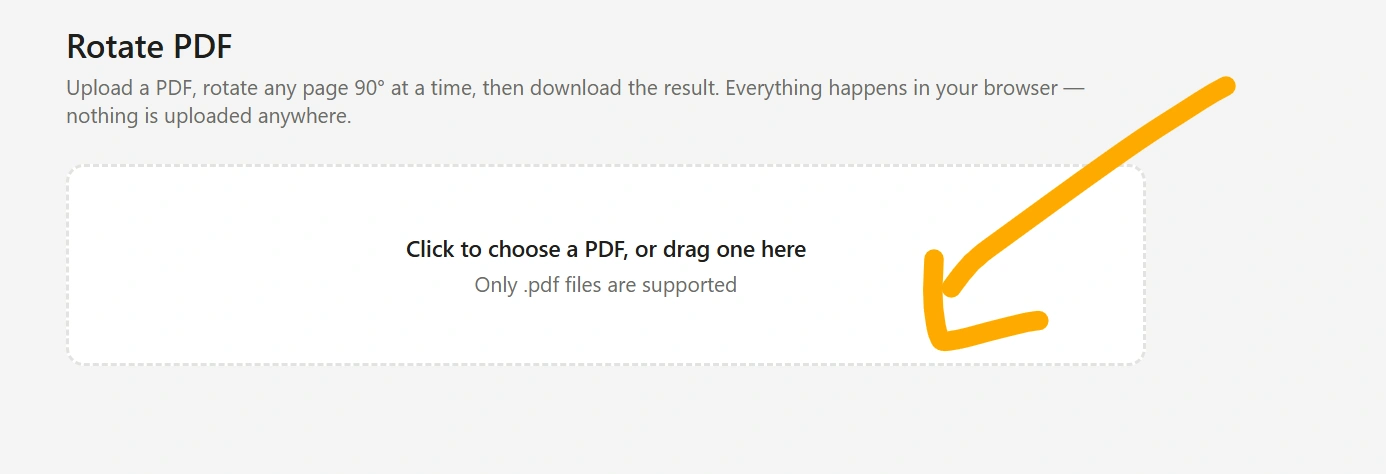
Open the PDF rotator and select the PDF file from your device.
Step 2: Select the Pages
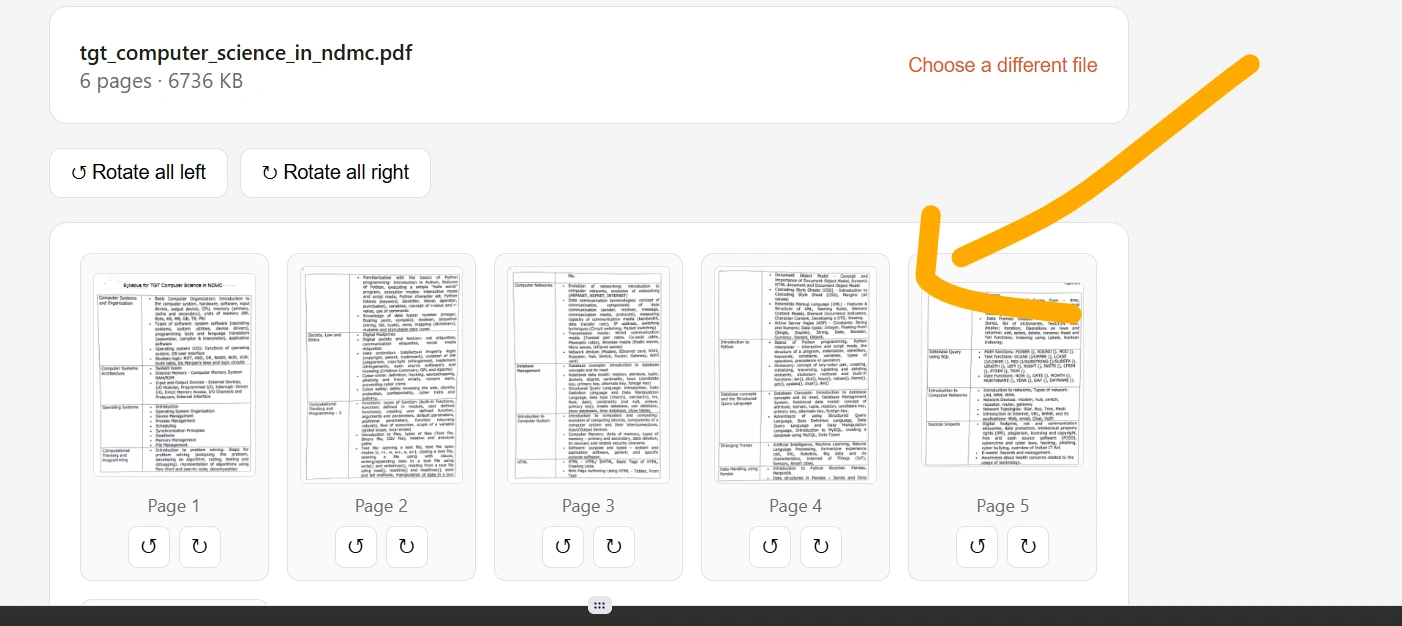
Depending on the tool interface, you can select the page or pages that need to be rotated.
Step 3: Rotate the Pages
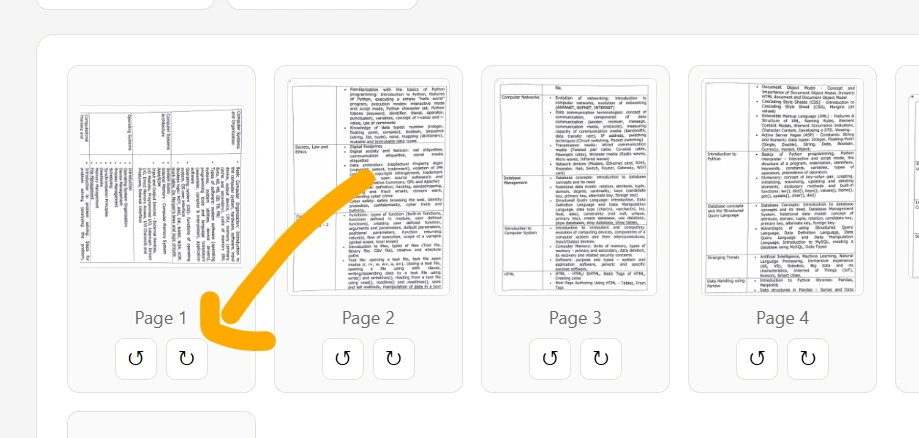
Choose the required rotation direction. You can normally rotate a page by 90 degrees clockwise, 90 degrees counterclockwise, or 180 degrees.
Step 4: Check the Preview
Before downloading, check that the pages are facing the correct direction.
Step 5: Download the Rotated PDF
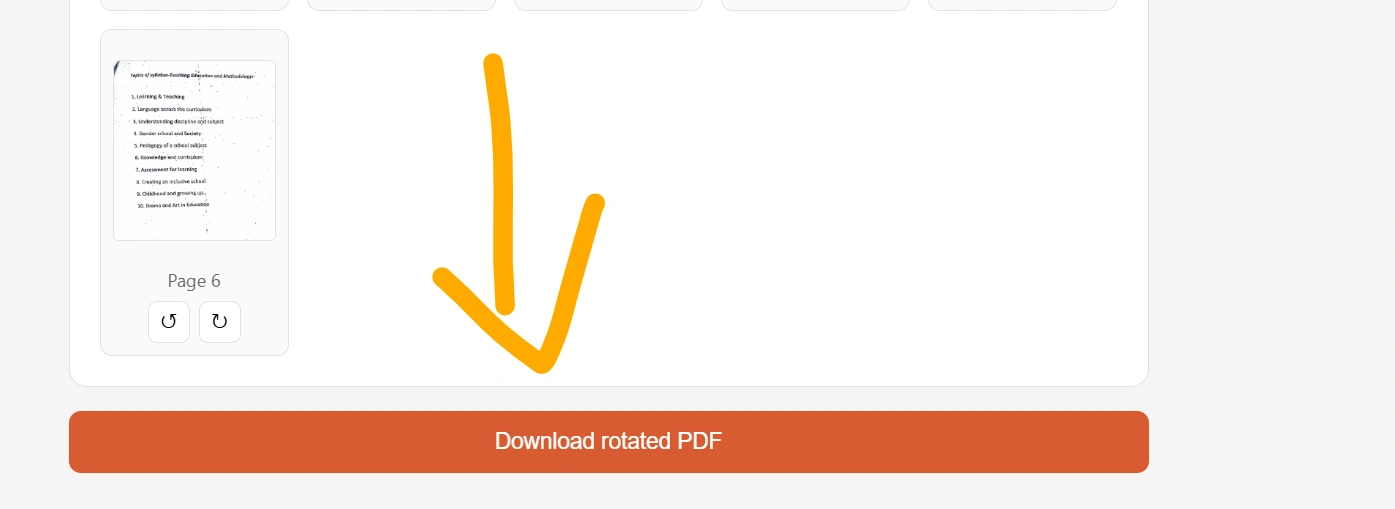
Once everything looks correct, click the download button to save your new PDF.
That’s it. Your PDF is ready to use.
Why Do You Need to Rotate a PDF?
There are several situations where rotating a PDF can be useful.
1. Fix Sideways Scanned Pages
Documents scanned using a phone or scanner may sometimes be saved in the wrong orientation. Rotating the affected pages makes the document much easier to read.
2. Correct Upside-Down Pages
An incorrectly scanned page can appear upside down. Instead of scanning the document again, you can rotate the page and save the corrected PDF.
3. Prepare a PDF for Printing
Correct page orientation is important when printing documents. A quick rotation can prevent pages from being printed sideways.
4. Improve Document Readability
A properly oriented document is more comfortable to read on computers, tablets, and smartphones.
5. Fix Mixed-Orientation Documents
Some PDFs contain both portrait and landscape pages. Rotating individual pages can help make the document more consistent.
Rotate Individual PDF Pages
You don’t always need to rotate the entire document.
For example, imagine you have a 20-page PDF where 19 pages are correctly oriented but page 12 is sideways. Rotating the complete document would create another problem.
A good rotate PDF tool allows you to work with individual pages so that only the incorrectly oriented page needs to be changed.
This can save time and help preserve the original layout of the document.
Can I Rotate a PDF on My Phone?
Yes. An online PDF rotator can be useful when you’re working from a smartphone or tablet.
You can open the tool using a modern mobile browser, upload your PDF, rotate the necessary pages, and download the resulting file.
This is particularly useful when you receive a document through email or messaging apps and need to correct its orientation before sharing or printing it.
Does Rotating a PDF Change Its Content?
Normally, rotating a PDF changes the orientation of the page, not the text, images, or other visible content.
For example, if a page contains a paragraph, image, and table, rotating the page changes their orientation together.
However, the exact result can depend on how a particular PDF was created and how the PDF processing tool handles the document.
For important files, it’s always a good idea to open the downloaded PDF and check the pages before sharing or printing it.
Rotate PDF vs. Edit PDF
These two tasks are different.
Rotate PDF:
Changes the orientation of one or more PDF pages.
Edit PDF:
May involve changing text, images, links, annotations, forms, or other elements inside the document.
If your only problem is that a page is sideways or upside down, you don’t necessarily need a full PDF editor. A dedicated PDF rotation tool can be enough.
Common PDF Rotation Problems
Sometimes users encounter problems when trying to rotate PDF files. Here are some common situations.
The Entire PDF Is Rotated
If every page is incorrectly oriented, you may need to rotate all pages rather than selecting individual pages.
Only One Page Is Sideways
In this situation, rotate only the affected page. This prevents correctly oriented pages from being changed unnecessarily.
The Downloaded File Looks Different
PDF files can contain different page sizes, orientations, embedded fonts, images, and other elements. Always check the final PDF after processing.
Large PDFs Take Longer
Large documents or PDFs containing many high-resolution images can take longer to process than small text-based PDFs.
Frequently Asked Questions
How do I rotate a PDF?
Upload your PDF to a PDF rotation tool, select the pages you want to change, choose the rotation direction, and download the resulting PDF.
Can I rotate only one page in a PDF?
Yes, if the PDF rotator supports page-level rotation, you can rotate a single page without changing the orientation of the other pages.
Can I rotate a PDF 90 degrees?
Yes. PDF pages can commonly be rotated 90 degrees clockwise or counterclockwise.
Can I rotate a PDF 180 degrees?
Yes. A 180-degree rotation turns an upside-down page into the correct orientation.
Does rotating a PDF delete the text?
Rotating a PDF should not normally remove its visible text or images. However, you should always check the processed file before using it.
Can I rotate PDF files on Android or iPhone?
Yes. If the tool works in a mobile browser, you can use it from a smartphone without necessarily installing a separate application.
Is my original PDF changed?
Generally, an online tool creates a processed copy rather than changing the original file stored on your device. You should still keep the original file as a backup.
Is an online PDF rotator safe?
Safety depends on the service and how it handles uploaded files. Before uploading private or confidential documents, review the website’s privacy and file-handling information.
Explore Our Tools
- Resize Signature Online: Free Tool to Resize Your Signature Image
- Text Art: Create Amazing Text Art Online With Emojis
- Convert Text into PDF Online – Free, Fast & Easy Text to PDF Converter
- Text Files: Create, Edit, Open, and Download Text Files Online for Free
- Text Repeater 10000 Times – Repeat Text Online Free
- Online Clipboard – Copy, Store & Access Text Online for Free
- KB Increaser: Increase Image Size in KB Online for Free
- PDF to PNG High Quality: Convert PDF Pages into Clear PNG Images